Enhancements
A coordinate reference system (CRS) selector has been added to the View/ Edit Project screen and to the Visualize File screen in AO. This CRS value will be used to translate the horizontal datum from the CRS selected into WGS84 for display. Please note that the original file is not altered, only the visualized file (meaning when your customer downloads the files, they are still exactly the same as you uploaded).
In order for the elevation and profile window to display the correct values, you still need to translate the vertical component to be relative to the WGS84 ellipsoid before loading the file into AO.
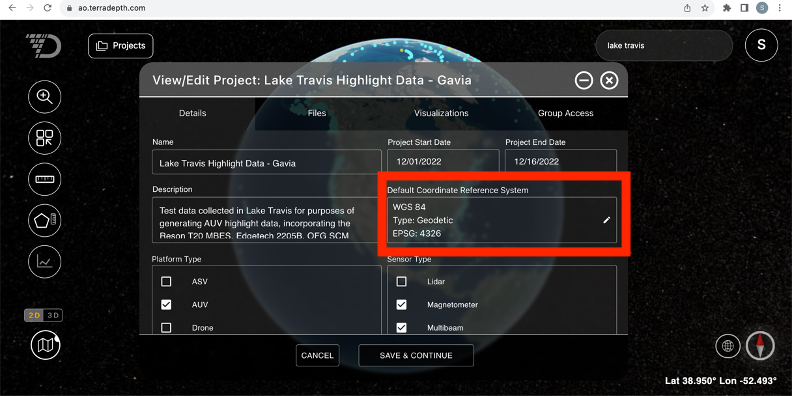
The project-level CRS will be used as default when you render a file unless AO is able to read the CRS information from the file header. Please note that the project level CRS defaults to WGS 84 for all projects but can be changed from the View/ Edit Project screen.
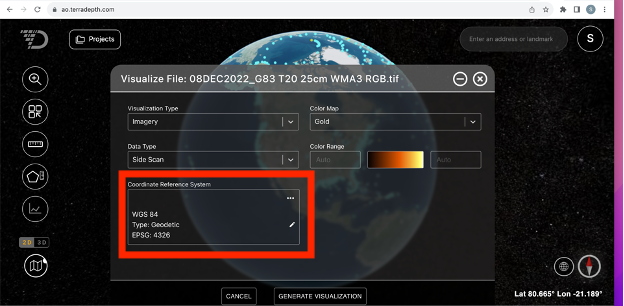
When requesting to visualize a file, the Visualize File window in AO will display
- CRS from the file if available OR
- Project level CSR if AO did not find a CRS in the file
From this screen, you can go with the CRS value provided or choose to override it by clicking the pencil icon.
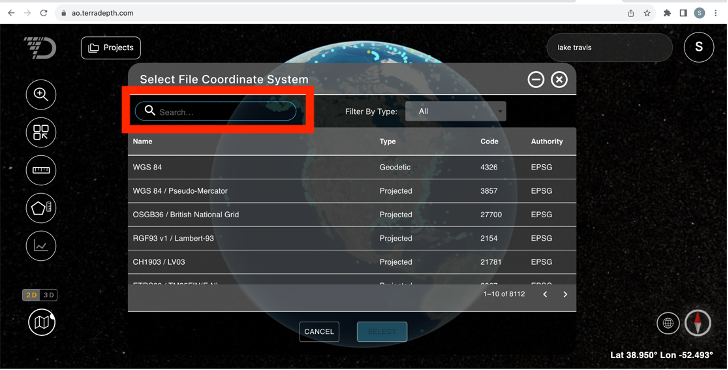
Within the Select File Coordinate System window, you can Filter by Type of coordinate system or use the Search bar to search for a term within any of the fields. Note that we are listing all EPSG codes from EPSG.org and not all of them are currently supported in AO. The ones that are not supported are disabled.
To restore CRS from the file or from the project level setting, please use the Restore From File or Restore From Project functionality on the Visualize File screen.
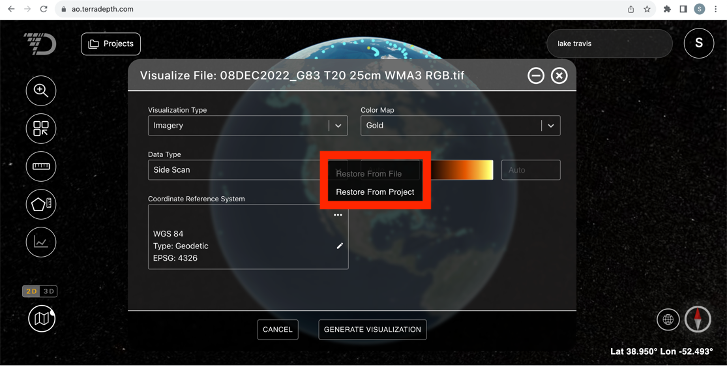
Note that different files within the same Project can have different CRS.
Maintenance enhancements
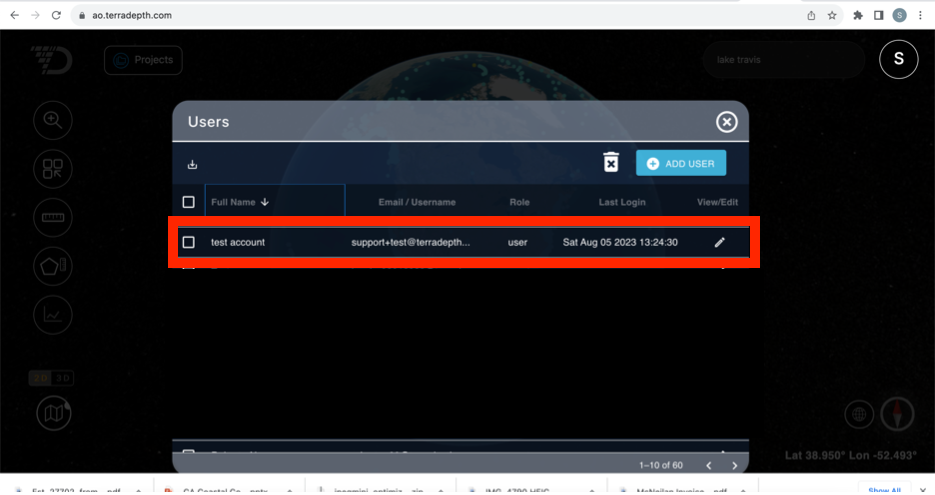
Admins and Users can now see the last login date for each AO user in their Organization from the Users list screen in AO.
Issues resolved
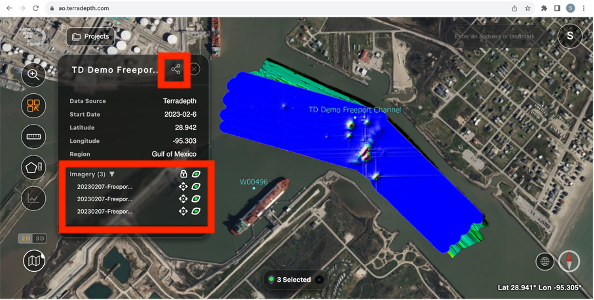
The Share View functionality now consistently preserves the imagery layer ordering in a Shared View, and the Project View Shared will be exactly the view you are looking at.