
Single sign-on (SSO) lets people sign in to AO with their Microsoft, Google or other OpenID Connect account. When they sign in this way, their organization's own sign-in rules, such as multi-factor authentication, apply. Terradepth support turns it on; this article covers what you prepare and send.
AO in the cloud and AO for government
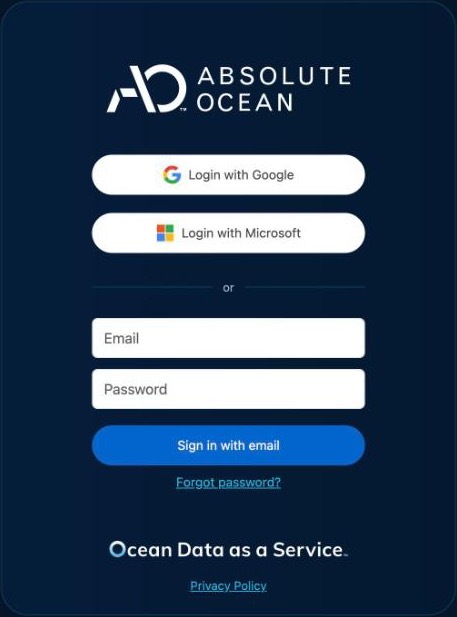
The sign-in page already offers Login with Microsoft and Login with Google. Anyone whose AO account has the same email address as their Google account, or as their Microsoft sign-in name, can use them. To hide a button on your organization's own sign-in link, or to use another identity provider, contact support@terradepth.com and name your organization.
Your own AO server (self-hosted AO or AO OnBoard)
- Set up HTTPS for AO. Microsoft and Google accept only
https://addresses. Your IT administrator sets up HTTPS on the AO server with./ao-mgr.sh tls setup, or puts AO behind your own TLS proxy. If your release has notlscommand and you have no proxy, contact support@terradepth.com. See HTTPS in Administering AO. - Register AO with your identity provider as a web app, and add its redirect (callback) URL, using your AO address exactly as people type it:
For Microsoft, allow theProvider Redirect URL Microsoft https://<your AO address>/api/v1/oauth2/microsoft/callbackGoogle https://<your AO address>/api/v1/oauth2/google/callbackOther OpenID Connect, such as Keycloak https://<your AO address>/api/v1/oauth2/generic/callbackopenid,email,profileandUser.Readpermissions. For Keycloak, add AO to your realm as an OpenID Connect client with client authentication on, and add the redirect URL as a valid redirect URI. Keep the client ID and client secret you're given. Setting up HTTPS on AO doesn't register these URLs: add them yourself. - Email support@terradepth.com with your AO address, your organization's name, the provider, the client ID, and the button text people should see, such as "Sign in with Example Marine". For Microsoft, also send your tenant ID if the app accepts only your own tenant. For another OpenID Connect provider, send its discovery URL: for Keycloak,
https://<keycloak host>/realms/<realm>/.well-known/openid-configuration. Don't put the client secret in the email: support will tell you how to pass it on.
Support sets up the provider and tells you when it's ready.
Let people sign in
Each person needs an AO account with the same email address as their identity provider account. With Microsoft, it must match their Microsoft sign-in name exactly, capital letters included. AO adds email addresses in lower case, so if someone's Microsoft sign-in name has capital letters, contact support@terradepth.com. An Admin adds people in Users: see User Management. Single sign-on doesn't create AO accounts.
To test, sign out of AO and choose your button on the sign-in page. If the page says you're "not yet setup for login", the email addresses don't match.
Related: Signing in and passwords · Security in AO · Set up your AO server: checklist