
This article explains how AO protects your organization's data: signing in, who can see what, encryption, sign-in records and where AO runs. For the hosts and ports to allow, see Firewall and allowlist quick reference.
Signing in
Each person signs in with their own account, using an email and password or single sign-on.
- Passwords must meet length and character rules, and can't repeat a recent password. They expire after a set time, and AO locks an account for a while after repeated failed sign-ins. AO stores each password as a one-way hash (Argon2).
- Invitation and password reset links expire, and a new link replaces older ones.
- Sessions: by default, a browser stays signed in until the person chooses Logout or doesn't use AO for a year. One account can be signed in on up to 10 browsers at a time: signing in on another signs out the one used longest ago. Setting a new password signs the person out everywhere.
- Single sign-on (SSO) works with Microsoft, Google or another OpenID Connect identity provider, such as Keycloak. It doesn't create accounts: an Admin adds each person to AO first, and AO matches them by email address (with Microsoft, by their sign-in name). When someone signs in this way, your identity provider's own rules, such as multi-factor authentication, apply.
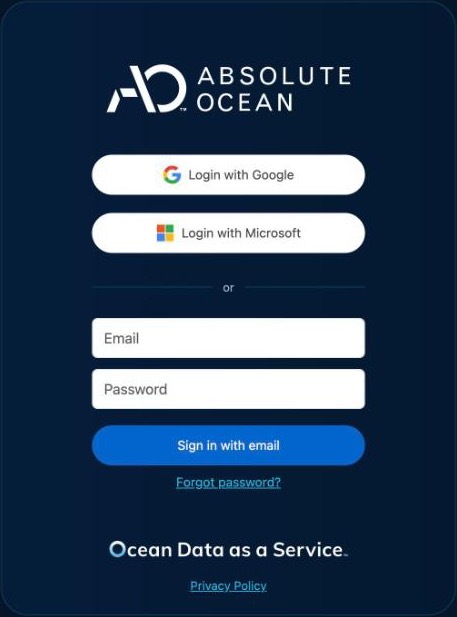
See Signing in and passwords. To set up single sign-on for your organization, see Set up single sign-on.
Roles and project access
Each person has one of four roles, Admin, Professional, User or Guest, which sets what they can do. Give each person the lowest role that fits their work.
- A private project is visible to the person who created it, to the groups given access to it, and to your organization's Admins.
- A public project can be viewed by everyone signed in to that AO, in any organization, and opens read-only. Projects people create in AO are private.
- Admins add and remove users, set their roles, and manage groups.
- Terradepth support staff have a separate role, Super Admin, with access to every organization so they can help customers.
See User Management.
Encryption
- In transit: AO in the cloud and AO for government use HTTPS, and tell browsers to connect to them only over HTTPS (HSTS). On self-hosted AO and AO OnBoard, AO serves HTTP on port 8888, and HTTPS (TLS 1.2 and 1.3) on port 443 once your IT administrator sets it up with
./ao-mgr.sh tls setup, or behind your own TLS proxy. HTTP stays on alongside HTTPS, with no redirect. If your release has notlscommand, use your own TLS proxy or contact support@terradepth.com. See Network and firewall requirements. - Stored credentials: once saved, cloud mount credentials aren't shown again.
- Your own storage: with a cloud mount, your files stay in your storage. See Cloud mounts for when AO copies them.
Sign-in records
AO records each successful sign-in, with the person, the time, the browser and the IP address. While the session is active, the record shows its latest browser and IP address. AO also records who last turned each single sign-on provider on or off for your organization, and when. Users shows each person's Last Login.
Each sign-in is listed under the organization that created the person's account. So your organization's record doesn't include sign-ins by Terradepth support, or by people whose account another organization created.
To review your organization's record, or to ask about sign-ins that aren't in it, contact support@terradepth.com and name your organization and your AO address. An Admin can also read their own organization's record through the AO API.
Where AO runs
| AO | Where it runs |
|---|---|
| AO in the cloud | ao.terradepth.com, run by Terradepth |
| AO for government | gov.terradepth.com, run by Terradepth for government customers |
| Self-hosted AO | Your own server, in your data center or private cloud. Your projects and files are stored on that server, or in your own storage through cloud mounts. |
| AO OnBoard | A self-hosted AO aboard a vessel, which keeps working while the ship is offline |
| Air-gapped (self-hosted AO or AO OnBoard) | Built for a network with no internet access. Imagery, terrain and basemaps come from your AO server, and AO doesn't check for internet access. This is set when your AO system is built, so tell Terradepth before delivery. |
On self-hosted AO and AO OnBoard, when a visualization fails, AO also emails Terradepth support a notice, sent through the mail server you set up. It gives the person's name and email address, your organization, your AO address, the project and file names, and the error with its technical details. When an Admin adds, changes or removes a user in AO, AO also emails Terradepth support a notice the same way, with the person's name, email address, organization, role and AO user ID.
Report a security concern
Email support@terradepth.com with what you saw, when you saw it, and your AO address, such as ao.terradepth.com. Don't include passwords or other secrets in the email.
Related: Set up single sign-on · Firewall and allowlist quick reference · User Management