
Objects are pins and polygons that mark places of interest on the map, such as targets, hazards or survey areas. Each object belongs to a project. People add them in AO, and scripts and other tools can add them through the AO API. AO doesn't detect wrecks or other targets in your data itself: to bring in findings from your own analysis, see Run your own analysis on AO data.
See a project's objects
Open the project and go to its Objects tab (User role and above). The table lists each object's name, type, notes and when it was last changed; to add Latitude and Longitude columns, use Show/Hide Columns. From an object's row you can:
- Go To the object on the map.
- View or Edit its details.
- Show or hide it on the map with its
 eye icon.
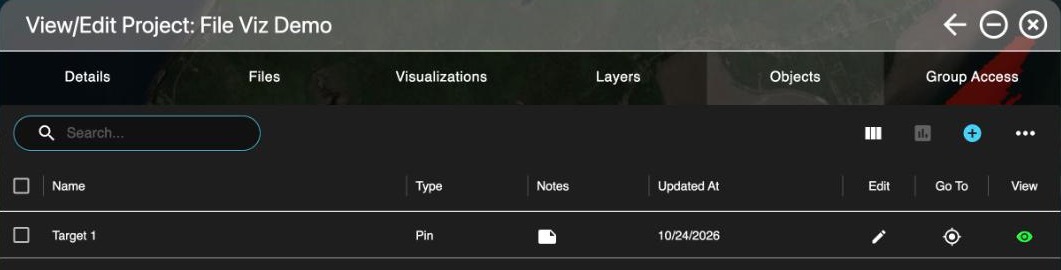
To export objects, select them and choose the report icon to download a CSV of the selected objects.
Add an object
Professionals and Admins can add objects to their organization's projects.
- From the Objects tab: choose Add object (the + icon).
- From the map: right-click where you want it and choose Add Object, then pick the project.
Fill in:
- Name, Category, Source and Notes.
- Type: Pin for a point or Polygon for an area.
- Latitude and Longitude, in the position format set under My Account, Settings (decimal degrees, degrees and minutes, or degrees, minutes and seconds). Or choose Find location on map and click the map.
- Symbol Type: a military-style symbol for the pin, when your organization uses military symbols.
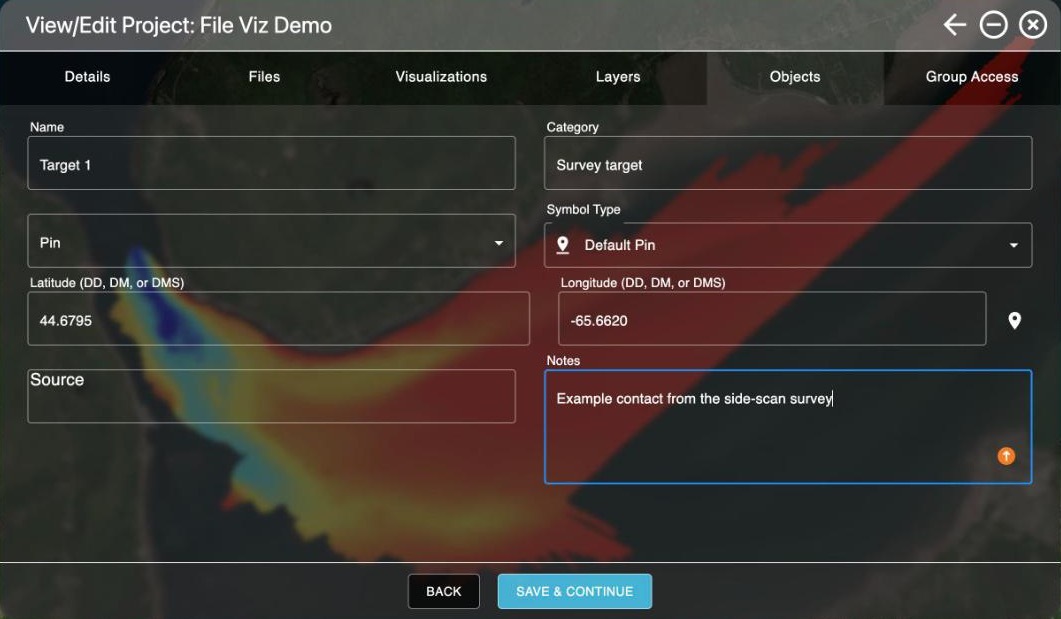
AO records who last changed an object and when (Updated By, Updated At).
Show or hide objects on the map
- The Objects switch in the Layers window's Global Layers shows or hides all objects at once. If it's off, the Objects tab reminds you and lets you turn it back on.
- Each object's eye icon shows or hides that object.
- Objects load as you need them, so projects with tens of thousands of objects stay quick.
Delete, show or hide several objects
In the Objects tab, select the objects, then open Object actions (the ... menu):
- Show Selected or Hide Selected shows or hides up to 1,000 objects at a time. The Objects switch in Global Layers must be on.
- Delete Selected deletes them after you confirm, and can't be undone. Professionals and Admins can delete objects; on public projects, only Terradepth support can.
Availability: military symbols are turned on per organization. To use them, contact support@terradepth.com.
Related: Layers window · Map tools · Reports and exports